
In today’s digitally connected world, notifications are a constant presence. While they help us stay informed and connected, an overload of alerts can disrupt our focus, increase stress, and reduce productivity. Setting clear boundaries with notifications is essential for maintaining a healthy balance between staying informed and preserving your mental space. This blog post offers practical tips to help you manage notifications effectively, so you can enjoy a more focused and peaceful day.
Why Setting Boundaries with Notifications Matters
Notifications alert us to messages, reminders, social media updates, and more. However, when these alerts come too frequently or at inappropriate times, they can fragment our attention. This “notification fatigue” can lead to:
– Difficulty concentrating
– Increased stress and anxiety
– Lower productivity levels
– Poor sleep quality when notifications arrive at night
Recognizing the impact is the first step toward taking control and setting boundaries that serve your wellbeing.
Assess Your Current Notification Habits
Before making changes, it’s helpful to understand your current situation. Ask yourself:
– How often do notifications interrupt your work or personal time?
– Which notifications do you find valuable, and which ones feel unnecessary?
– Do notifications affect your mood or stress levels?
– Are your notifications on during meals, meetings, or before bedtime?
By reflecting on these questions, you’ll identify which notifications are essential and which could be limited or turned off.
Practical Tips for Setting Boundaries with Notifications
1. Customize Notification Settings by App
Almost every app allows you to control notifications. Dive into the settings and:
– Disable non-essential notifications completely (e.g., game invites, promotional alerts)
– Adjust alerts to silent or banner-type notifications for less urgent apps
– Set priorities so only important notifications notify you loudly or with vibration
This customization helps cut down noise without missing critical messages.
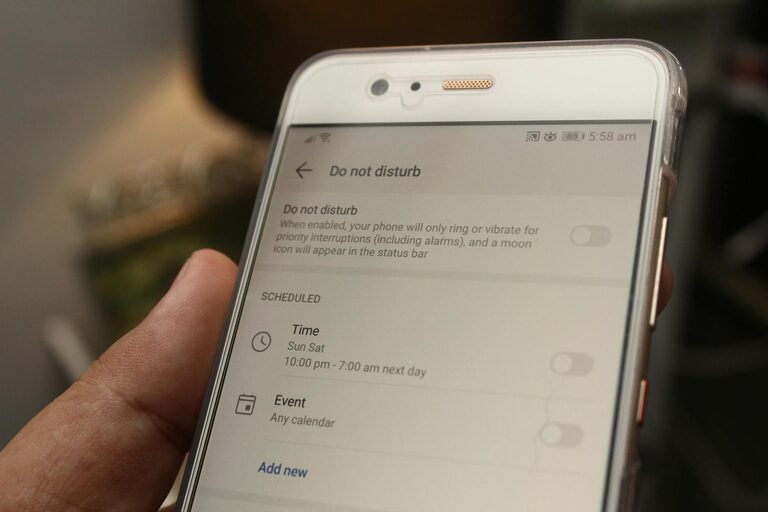
2. Establish “Do Not Disturb” Periods
Most smartphones and computers have a “Do Not Disturb” mode, which silences notifications temporarily. Use it to block interruptions during:
– Focused work time
– Family meals or social gatherings
– Sleep hours
You can schedule recurring Do Not Disturb times or turn it on manually as needed.
3. Use Notification Summary Features
Some devices offer a notification summary that collects less urgent notifications and shows them only at specific times. This way, you don’t get interrupted constantly but can review accumulated updates when convenient.
4. Limit Notifications on Work and Personal Devices
If you use multiple devices, consider separating work and personal notifications. For example:
– Disable work email or Slack alerts on your personal phone outside office hours
– Turn off social media notifications on your work computer
This separation helps switch your mindset between work and personal time and reduces stress.
5. Manage Email Notifications
Email can be a big source of frequent alerts. Tips include:
– Turn off push alerts for incoming emails
– Check email at scheduled times rather than constantly
– Set filters to prioritize urgent messages
This prevents constant distractions and helps you process emails more efficiently.
6. Practice Mindful Notification Checking
When a notification arrives, check it intentionally rather than automatically. You might ask:
– Is this urgent or can it wait?
– Am I in the middle of an important task or conversation?
Developing this habit reduces compulsive checking and improves focus.
7. Inform People About Your Availability
Setting boundaries also means communicating them. Let colleagues, friends, and family know your preferred ways and times for contacting you. This can reduce pressure to respond immediately and set clear expectations.
8. Regularly Review and Adjust Notification Settings
Technology and habits evolve, so revisit your notification settings occasionally. Remove or adjust alerts that no longer serve you and add new ones thoughtfully.
Benefits of Setting Boundaries with Notifications
When you take control over your notifications, you may notice:
– Improved concentration and productivity
– Lowered stress and feeling more relaxed
– Better sleep due to fewer nighttime interruptions
– A stronger sense of control over your digital life
These benefits contribute to overall wellbeing and a better balance between technology and real life.
Conclusion
Notifications can be both helpful and distracting. The key is to set personal boundaries that allow you to stay informed without being overwhelmed. By customizing settings, scheduling focus times, managing alerts thoughtfully, and communicating with others, you’ll create a digital environment that respects your attention and supports your goals. Start with small steps today and enjoy the peace that comes with mindful notification management.
